Top 10 Tips for Printing Labels Effectively?
In the world of printing labels, efficiency and clarity are key. Robert H. Thompson, a renowned expert in the label printing industry, once stated, "Effective label printing is about precision and understanding your audience." His words highlight the importance of tailoring your labels to meet specific needs.
Printing labels can be a straightforward task, yet it often becomes complicated. Different materials, ink types, and printer settings can lead to errors. For instance, using the wrong paper can result in smudging or fading. This kind of mistake is common, pushing businesses to rethink their processes and priorities.
Additionally, understanding the purpose behind each label is crucial. Whether it's for branding, safety, or organization, clarity should never be compromised. It's a constant learning journey, and even seasoned professionals face challenges. Attention to detail is essential in this intricate process. Embracing these complexities can lead to more effective and successful label printing.
Understanding Label Printing Technologies and Their Impact on Quality
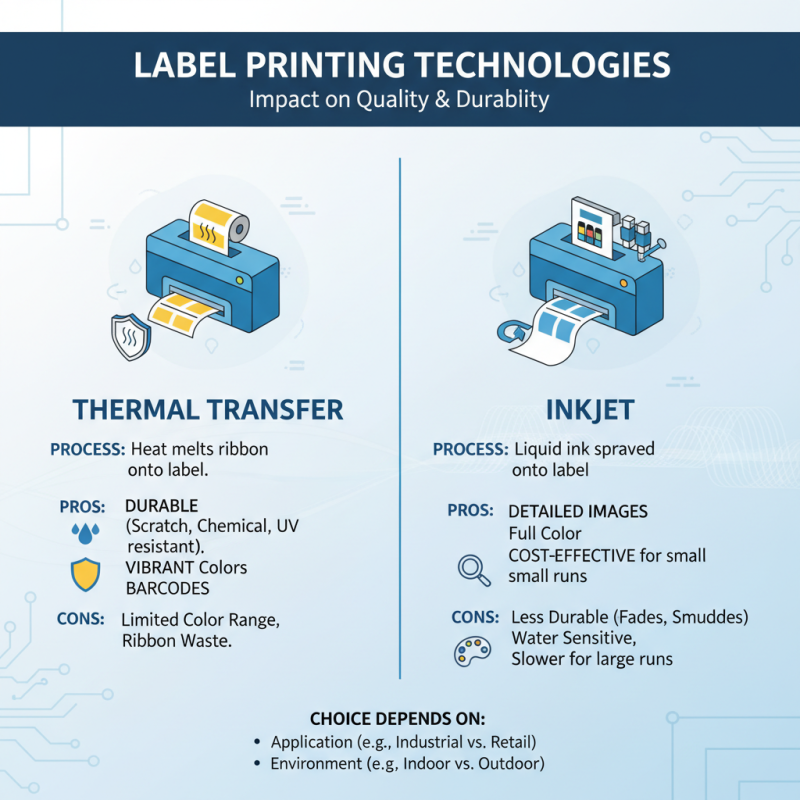
Understanding label printing technologies is crucial for achieving high-quality results. Different technologies, like thermal transfer and inkjet, each have unique advantages. Thermal transfer often produces vibrant colors with strong durability. In contrast, inkjet can offer detailed images but may not withstand harsh environments as well.
Selecting the right technology significantly impacts the print quality and longevity of labels. Factors such as material compatibility, ink types, and environmental conditions play a vital role. Many users overlook these details, leading to poor adhesion or fading prints. It’s essential to conduct tests before large-scale printing, ensuring the chosen method meets specific requirements.
While advancements in printing technologies offer many benefits, some challenges persist. Users may find it difficult to achieve consistent results across batches. Variability in settings can lead to discrepancies in color and clarity. Addressing these issues requires continuous monitoring and adjustments, highlighting the need for a deeper understanding of the printing process. Constant experimentation can reveal the nuances that create effective labels.
Choosing the Right Label Material for Durability and Performance
When it comes to choosing the right label material, understanding durability and performance is crucial. A recent report by Smithers Pira indicates that 70% of packaging failures result from incorrect selection of label materials. This highlights the importance of thorough research before printing labels. Labels must withstand various conditions, including moisture, sunlight, and temperature changes. For example, vinyl labels are often preferred for their durability in outdoor environments. They resist tearing and fading, which is vital for maintaining brand visibility.
Performance is influenced by the adhesive used. A 2021 study from the Label Insights Group found that nearly 65% of consumers reported that labels peeling off affected their perception of product quality. Therefore, selecting an adhesive designed for specific surfaces is essential. Food containers, for example, often require cold-temperature adhesives that ensure labels remain intact in refrigerated conditions.
In many cases, the perfect label material doesn't exist. Each option has trade-offs. Paper labels might be cost-effective but lack moisture resistance. Conversely, plastic labels offer durability but can increase production costs. This complexity demands careful consideration and planning. Ultimately, the right choice hinges on balancing durability and performance with intended use and budget constraints.
Designing Labels for Maximum Readability and Compliance
Creating labels that are both readable and compliant is essential for effective communication. Start by choosing easy-to-read fonts. Sans-serif fonts, like Arial or Helvetica, tend to be clearer. Keep the font size large enough for visibility, especially for people with impaired sight. Aim for a minimum of 10 points, but larger may be better in some contexts. Limit the number of different font types on a single label; two is a good maximum. This approach prevents visual clutter and maintains focus.
Color choice plays a crucial role too. High contrast between background and text improves readability. Dark text on a light background or vice versa works well. Be cautious with color combinations that may be problematic for colorblind individuals. In addition, ensure all necessary information is present, including ingredients, directions, and warnings if applicable. This helps in compliance with regulations.
Sometimes, we overlook the importance of spacing. Adequate spacing between elements and margins enhances clarity. However, reducing space can make a label look tight and overwhelming. Always test your labels with real users to gain feedback on readability and comprehension. This step can uncover shortcomings in design you might have missed. The goal is to strike a balance between aesthetics and functionality.
Optimizing Printer Settings for High-Quality Output and Efficiency
When it comes to printing labels, optimizing printer settings is key for achieving high-quality output. According to industry reports, nearly 30% of printing errors stem from misconfigured printer settings. To combat this, users should ensure that they select the correct paper type in the printer preferences. Using the right paper ensures better ink adhesion and clarity, which can lead to a significant increase in label legibility.
Another crucial aspect is adjusting the print resolution. Many printers have settings ranging from 300 to 1200 DPI (dots per inch). A study by Printing Industries of America indicated that increasing DPI can enhance detail. However, it also slows down printing speed. This balance between quality and efficiency needs careful consideration. Some users may overlook this detail, leading to frustration when labels appear pixelated.
Temperature and humidity can dramatically affect printing results too. Research indicates that paper absorbs moisture from the air, causing warping. Maintaining the workspace conditions at an optimal level, ideally between 20-22 degrees Celsius, can mitigate these effects. Paying attention to environmental factors is often underrated, yet it can significantly enhance consistency in print quality.
Implementing Quality Control Measures in the Label Printing Process
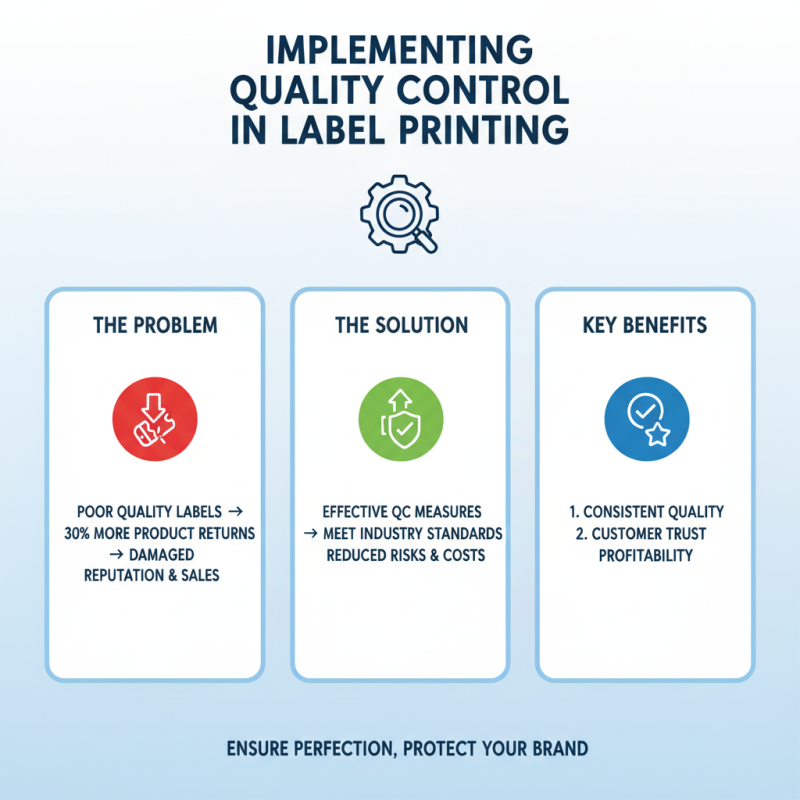
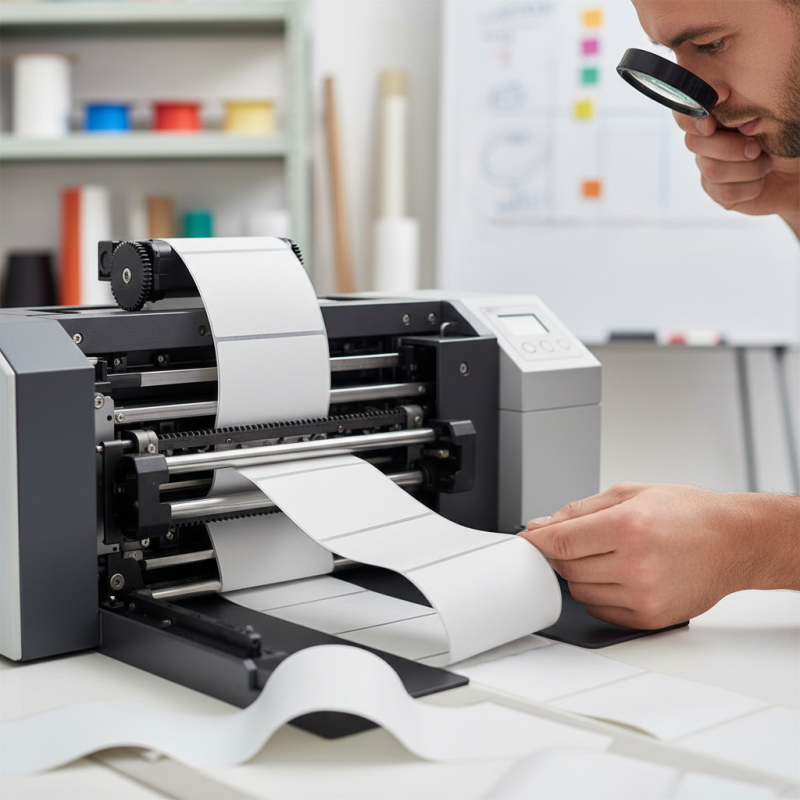
In the label printing process, quality control is crucial. It ensures that each label meets industry standards. Research shows that poorly printed labels can lead to a 30% increase in product returns. This can harm both sales and brand reputation. Implementing effective quality control measures can mitigate these risks.
One effective tip is to establish a pre-print checklist. This ensures that all aspects of the label are reviewed before printing. This checklist can include color accuracy, text legibility, and barcode scanning capability. Another important measure is to perform regular equipment maintenance. According to industry studies, machines that are well-maintained reduce production errors by up to 25%.
Lastly, consider utilizing sample runs. Printing small batches allows for real-time quality assessment. If something goes wrong, adjustments can be made before full production. Quality control in label printing is not always perfect. Mistakes will happen. However, identifying and addressing these flaws is essential to improve overall quality and efficiency. Investing in thorough quality control is a step toward successful label printing.