Top 10 Tips for Printing Package Labels Effectively?
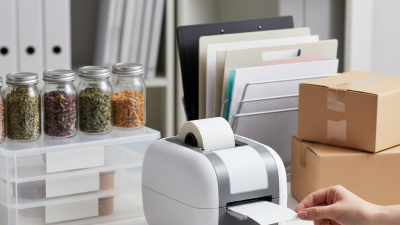
In the world of e-commerce and shipping, printing package labels effectively is crucial. Clear and professional labels ensure that packages reach their destinations quickly and safely. They help in reducing delays and improving the customer experience. However, many people underestimate the importance of well-designed labels.
One common mistake is not considering the label size. Finding the right dimensions can significantly impact readability. Another area of concern is the choice of materials. Using durable paper or vinyl can withstand different shipping conditions. This reflects attention to detail, showing that businesses care about their products.
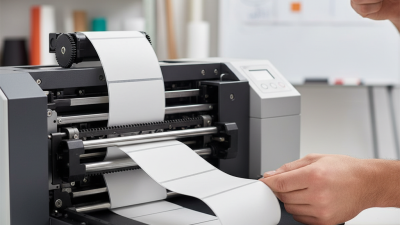
Moreover, using high-quality printers can make a difference in label appearance. Faded prints can lead to confusion and missed deliveries. It's essential to regularly check and maintain printers too. Over time, even the best printers can lose their effectiveness. This can lead to frustration and wasted resources. By focusing on these aspects of printing package labels, businesses can enhance their efficiency and reliability.
Choosing the Right Label Material Based on Product Requirements
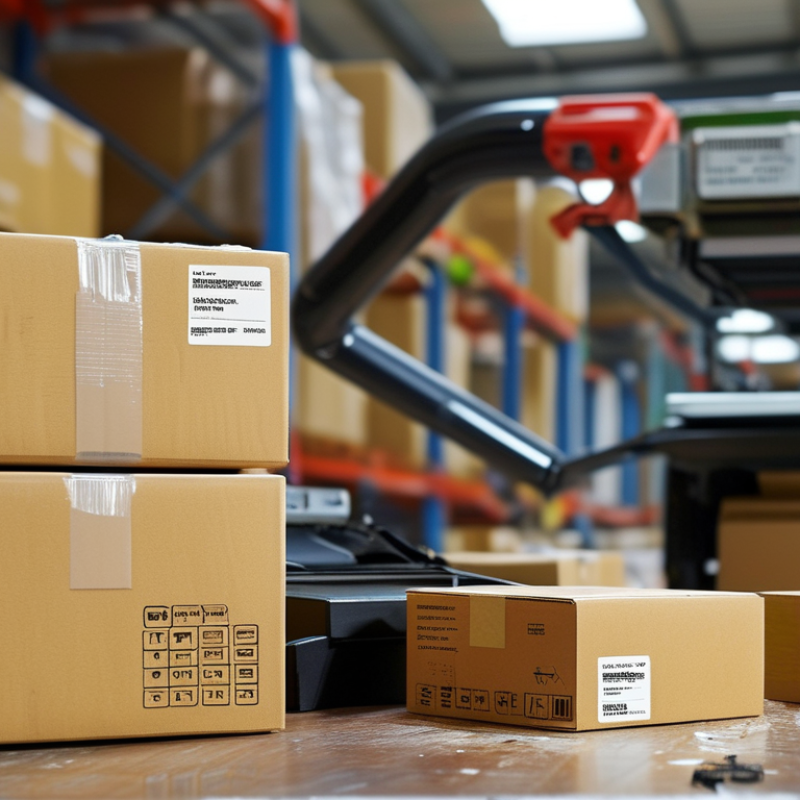
When it comes to printing package labels, selecting the right label material is crucial. The material must align with your product's specific requirements. Depending on the permanence needed, one might choose between paper, vinyl, or polyester. According to a 2022 report from Smithers Pira, demand for thermal labels is projected to grow by 5.2% annually until 2025, reflecting an increasing preference for durable materials.
Choosing a material that can withstand different environments can make a big difference. For instance, products stored in humid conditions need labels resistant to moisture. Attention to detail in material selection can ensure labels remain intact, enhancing brand credibility. If a label peels off or smudges, it impacts consumer trust and the product’s perceived quality.
Using a high-quality adhesive can improve label performance. A 2021 study by Labelling Insights highlighted that 70% of consumers have abandoned a purchase over poor label legibility. Reflecting on this data, clear printing and appropriate adhesive choices become paramount for effective labeling. Various adhesives serve different surfaces; understanding these nuances is essential for a flawless application.
Understanding Color Management for High-Quality Prints
Understanding color management is crucial for achieving high-quality print results. Proper color management ensures that the colors you see on your screen translate accurately to the printed labels. According to a report by the Printing Industries of America, up to 60% of print jobs are rejected due to color discrepancies. This highlights the importance of setting up your workflow correctly.
To ensure accurate color reproduction, use a calibrated monitor. A report from X-Rite indicates that about 70% of designers do not calibrate their monitors, leading to inevitable mismatches in color. Implementing ICC profiles in your workflow can create standards for color conversion. Device profiles are essential for maintaining consistency across different printers and substrates. Regular recalibration every few weeks can also help maintain accuracy.
It's vital to recognize that printing on different materials might yield varied results. Some papers absorb ink differently, leading to color shifts. Testing prints on actual materials before production can help you catch these issues early. A study by the IDEAlliance shows that about 35% of organizations do not conduct test prints, which can lead to wasted material and increased costs. Continuous reflection and adjustments in your color management strategy are essential for delivering quality results.
Utilizing Design Software for Efficient Label Layout
Utilizing design software effectively can elevate your package labeling process significantly. Start with a clear layout to ensure that all elements fit well without overcrowding. A well-organized space allows for readability and aesthetic appeal. Use grid systems available in design tools to guide the placement of graphics and text. This can lead to a cleaner, more professional appearance.
Tips for label design include selecting appropriate fonts. High contrast between text and background is crucial. This improves readability across various distances. Experiment with color schemes that reflect your brand's identity but maintain clarity. Consider different sizes for key information. It helps guide the viewer's eye effectively.
Remember, testing is an essential part of the design process. Print a small batch of labels to check for color accuracy and text clarity. Small imperfections in alignment or color can stand out more than expected. A reflective approach to this feedback is vital for improvement. Adjustments after initial tests can enhance the final product significantly. Keep analyzing and adapting your designs to achieve optimal results.
Optimizing Printer Settings for Different Label Types
When printing labels, understanding printer settings is crucial. Different label types require specific adjustments for optimal results. According to a report by the International Journal of Printing Technology, incorrect settings can lead to increased wastage—up to 30% in some cases. This waste not only affects costs but also environmental sustainability.
For paper labels, ensure the printer is set for the right resolution. A DPI (dots per inch) of 300 is ideal for crisp text and clear barcodes. On the other hand, synthetic labels may need different settings. They often require increased heat settings for better adhesion. Failing to adjust these can result in labels curling or smudging. A recent survey revealed that 52% of businesses faced issues with label durability due to improper printer settings.
Color management is another area that demands attention. Different label materials reflect color differently. A 2022 study highlighted that brands experienced a 25% discrepancy in color reproduction when using default printer settings. Regular calibration of the printer helps mitigate such inconsistencies. Tools like spectrophotometers can assist in achieving accurate color matching, thus enhancing overall label quality.
Implementing Quality Control to Reduce Printing Errors
Implementing quality control in printing package labels is crucial. Errors can lead to costly mistakes and wasted materials. A robust quality control system helps identify issues before labels are produced. This process begins with a clear understanding of label specifications. Ensure that your design meets all necessary requirements. Sometimes, communication breakdowns occur between design and production teams. Regular meetings can prevent such misunderstandings.
Incorporating checkpoints during the printing process enhances reliability. Conduct tests on samples before the full print run. This simple step can reveal color mismatches or misalignments. Don't ignore the importance of a skilled operator. Their experience can significantly impact the final product. It’s essential to continually train staff on the latest printing technologies and methods. However, even experienced operators can overlook details when rushing.
Consider using technology for automated checks. Software can detect inconsistencies that the human eye might miss. Yet, relying solely on technology may also backfire. It's important to strike a balance between human oversight and automated systems. Reflecting on past mistakes can lead to better practices. Quality control is an evolving process, requiring continuous adaptation.